The triathlon coach app: three disciplines in one calendar
Updated:
A triathlete's week has the pool, the bike and the run, and you need to know whether the three together are too much. When swimming lives in one app, cycling in another and the plan in a spreadsheet, adding up the week takes longer than writing it. EasyTrackly keeps all three disciplines in one athlete calendar on a single load scale - you write the plan once, the athlete gets it on the watch, and completed sessions come back to you without retyping anything.
A triathlon coach's week in EasyTrackly
The three screens you come back to most often when coaching a group of triathletes.
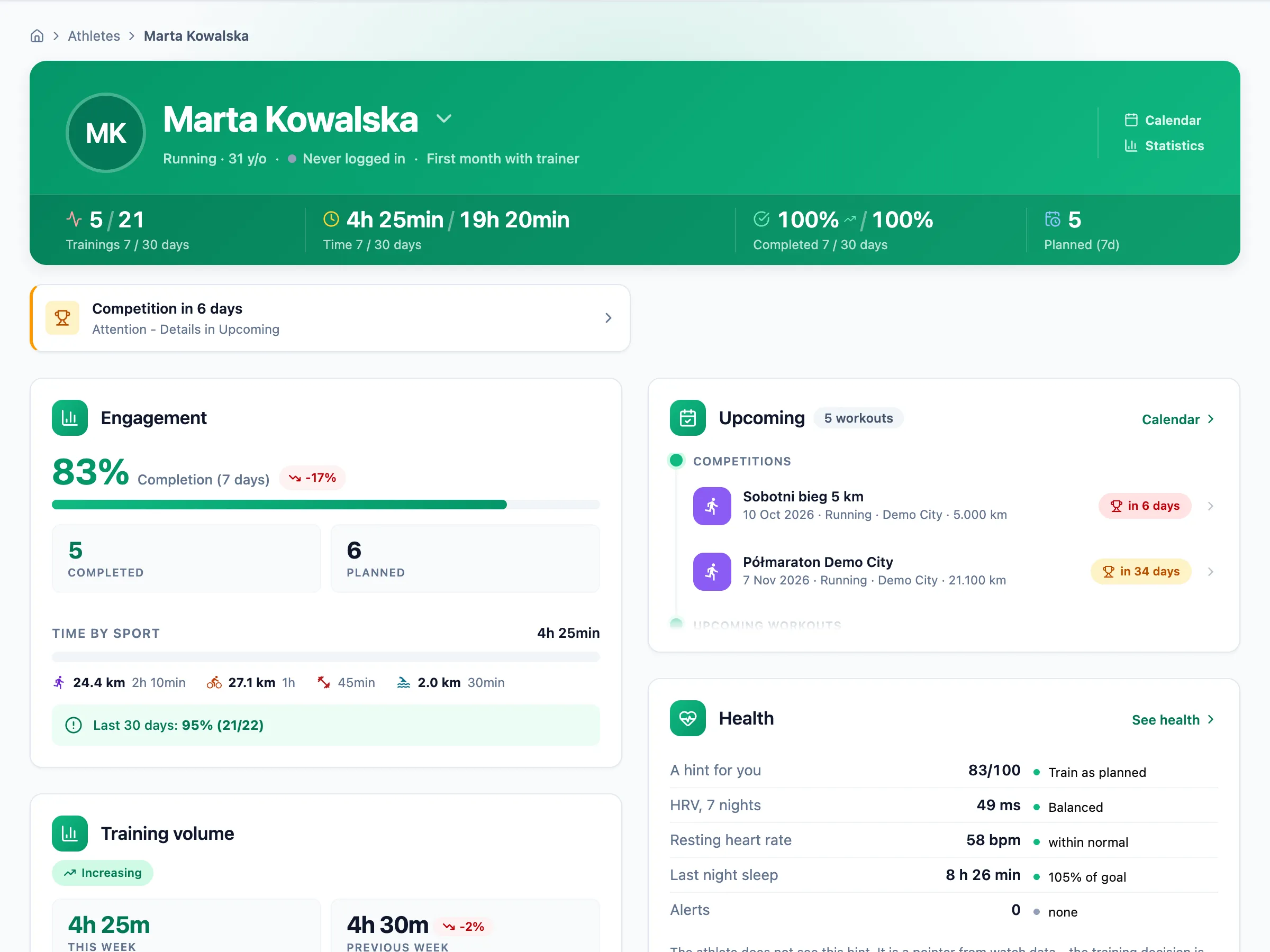
Monday: who needs attention
The coach dashboard shows the whole team: athletes who missed sessions or reported feeling worse, upcoming workouts and the nearest races. The athlete page shows time and distance split by sport, so you see at once whether last week was short on swimming or heavy on the bike.
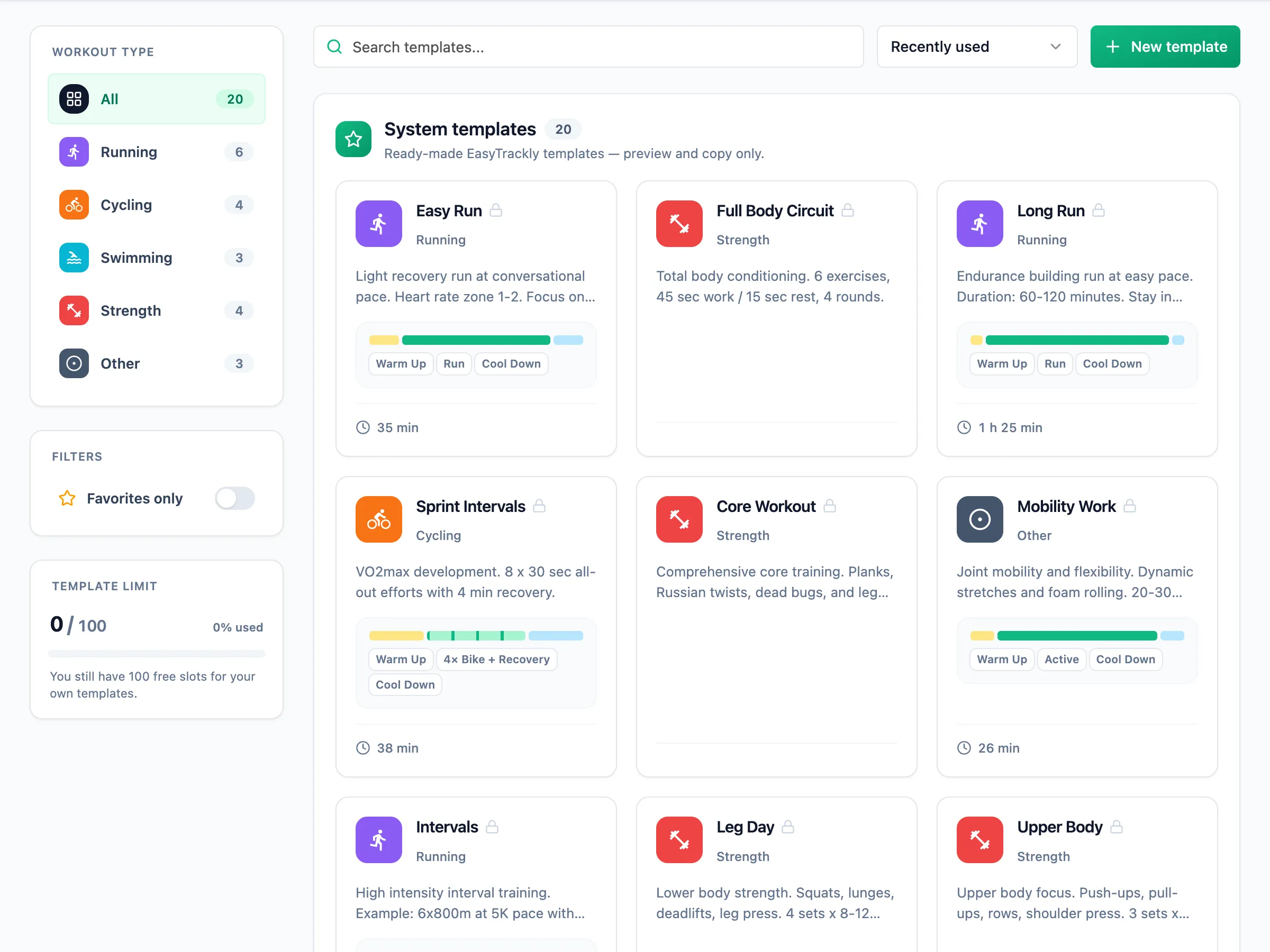
Tuesday: a plan for three sports
You build every workout from steps: warm-up, intervals, recoveries, repeats and cool-down. A bike step has a power, heart rate or cadence target, a run step a pace or heart rate target, and a swim step a pace per 100 m, a distance in metres, a stroke, equipment and a drill. Repeated sessions are saved as templates, and a finished week can be copied to the following weeks or to other athletes. Details: Structured workouts.
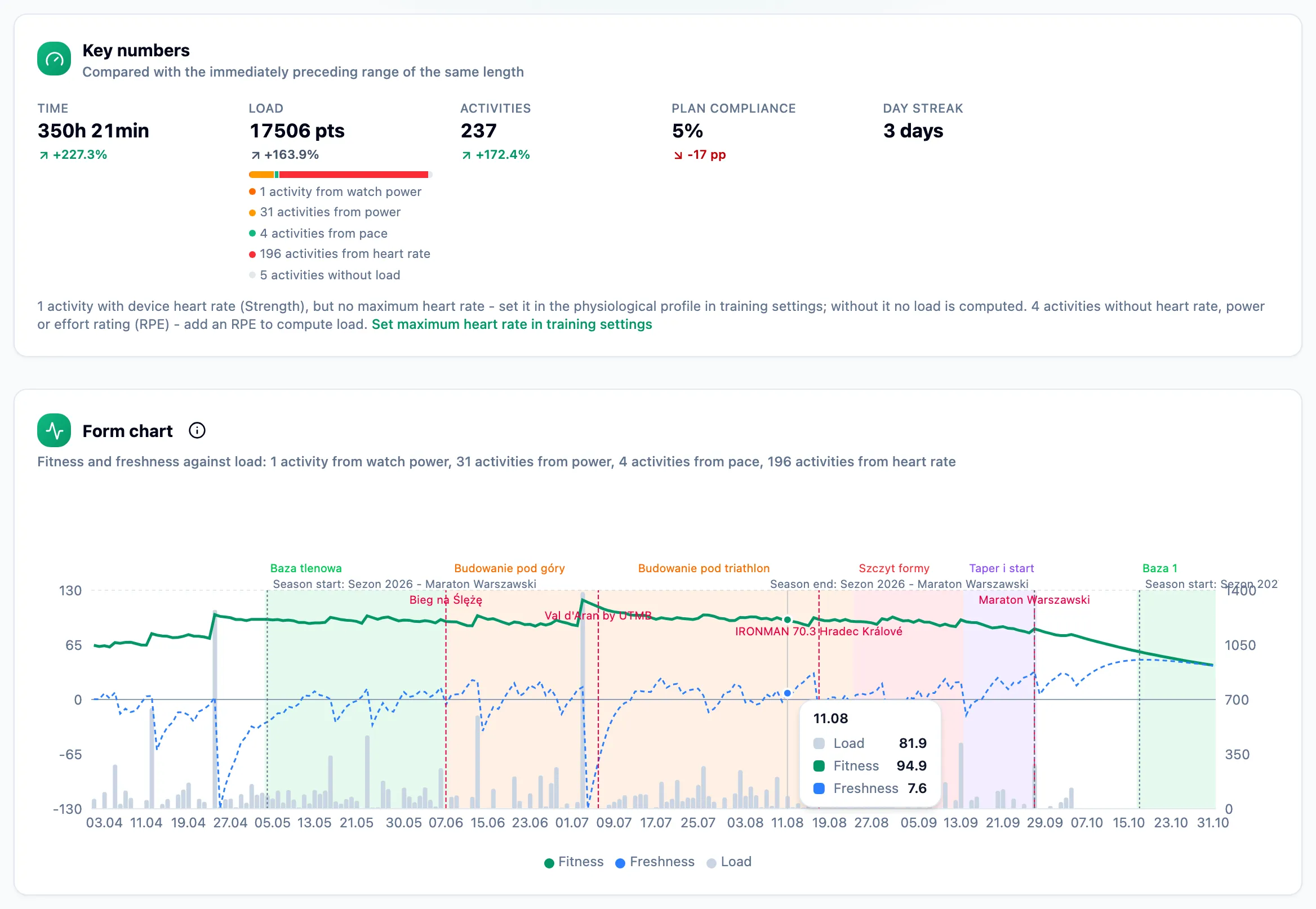
Sunday: the weekly total and form
After a long weekend of riding and running, the activities are already in the calendar. Above the calendar you see the week's total load, and the form chart shows how the week moved the athlete's fitness and freshness. Where the numbers come from is explained on the Training load and form page.
What matters in triathlon
Three disciplines in one calendar
Swimming, cycling, running and strength sessions sit side by side in the same week. You do not need to open three apps to check whether the athlete did everything in the plan, and you never copy the swim from one place and the ride from another.
Load from power, pace and heart rate
Every activity gets its load from the most accurate data it has: a ride with a power meter is scored from power against FTP, a run with GPS from pace against threshold pace, and swimming and everything else from heart rate or from perceived effort. It all lands on one scale, so a week with three sports adds up to one number and one form chart.
Thresholds and zones for each sport
The athlete has separate settings for running, cycling and swimming: threshold heart rate and a zone method in each sport, threshold pace for running and FTP for cycling. The athlete sets them in their profile, or you do it on the athlete page - see Training settings and zones.
For the run, you can work out thresholds without signing in on the Running calculator page: training paces from a race, a 30-minute threshold test and heart rate and pace zones calculated with the same method as the app.
Workouts on the watch in all three sports
A published run, ride or swim with steps goes on its own to the Garmin or Suunto watch of an athlete who connected their account. The athlete swims and rides guided by the watch, and a change of date or steps reaches the watch without you doing anything. Details: Workouts on the watch and Garmin Connect integration.
Camps and group sessions
For a camp or shared group sessions you plan workouts in the group calendar: athletes see them in their own calendars and say whether they will come, and after the session you record attendance. Individual sessions for the camp week are copied to athletes from a ready week. How it works: Group calendar.
Watches and integrations
The athlete connects their watch account once in their profile, and from then on completed workouts arrive in the calendar on their own. The coach does not connect the watch for the athlete but sees everything it sent: route, laps, pace, heart rate and power. An athlete training without a watch can enter a session manually.
EasyTrackly, a spreadsheet and TrainingPeaks
Honestly, in five rows:
| Spreadsheet | TrainingPeaks | EasyTrackly | |
|---|---|---|---|
| Interface language | any | no Polish | Polish and 4 others |
| Three sports on one load scale | you calculate it | yes | yes |
| Workouts on the watch | no | yes | yes |
| Advanced analytics | whatever you build | very extensive | load, form, zones |
| Billing | no cost | in USD | in PLN, EUR or USD, by country |
If you use TrainingPeaks today, read the comparison with TrainingPeaks - it also says when you are better off staying with it.
Frequently asked questions
Does swimming get a load score?
Yes. Swimming is scored from heart rate when the athlete has a heart rate monitor and a maximum heart rate set, and without a measurement from perceived effort and duration. The result goes into the same weekly total as cycling and running.
Can I write a swim workout with steps?
Yes. A swim step has a distance in metres, a pace target per 100 m, a stroke, equipment and a drill. A workout with steps goes to the athlete's watch just like a run or a ride.
How much does the triathlon coach app cost?
Pricing is further down this page, in your country's currency. The coach pays; the athlete account is free, and plans differ by the number of athletes you coach. You start with a trial that needs no card.
Can I move my athletes over gradually?
Yes. Invite one athlete first and coach them in parallel with your current tool. Nothing is migrated, and after a few weeks you know whether you want to move the rest.
Start with one triathlete
Create a coach account, invite one athlete and plan their next week with a swim, a ride and a run. A few days later you will see the plan, the completed sessions from the watch and the total load in one calendar. Create a coach account.