On this page
A published workout with structure reaches the athlete's Garmin or Suunto watch on its own - no file and no "send" button. The watch then guides the athlete step by step.
Athlete calendarPlan WorkoutAssignThe athlete connects a watch
The athlete connects their Garmin or Suunto account in their own profile, on the Integrations tab. The Send planned workouts to your watch switch (for Suunto: Send planned workouts to Suunto) is on after connecting; if the athlete turns it off, plans stay in the app only.
Build the workout from steps
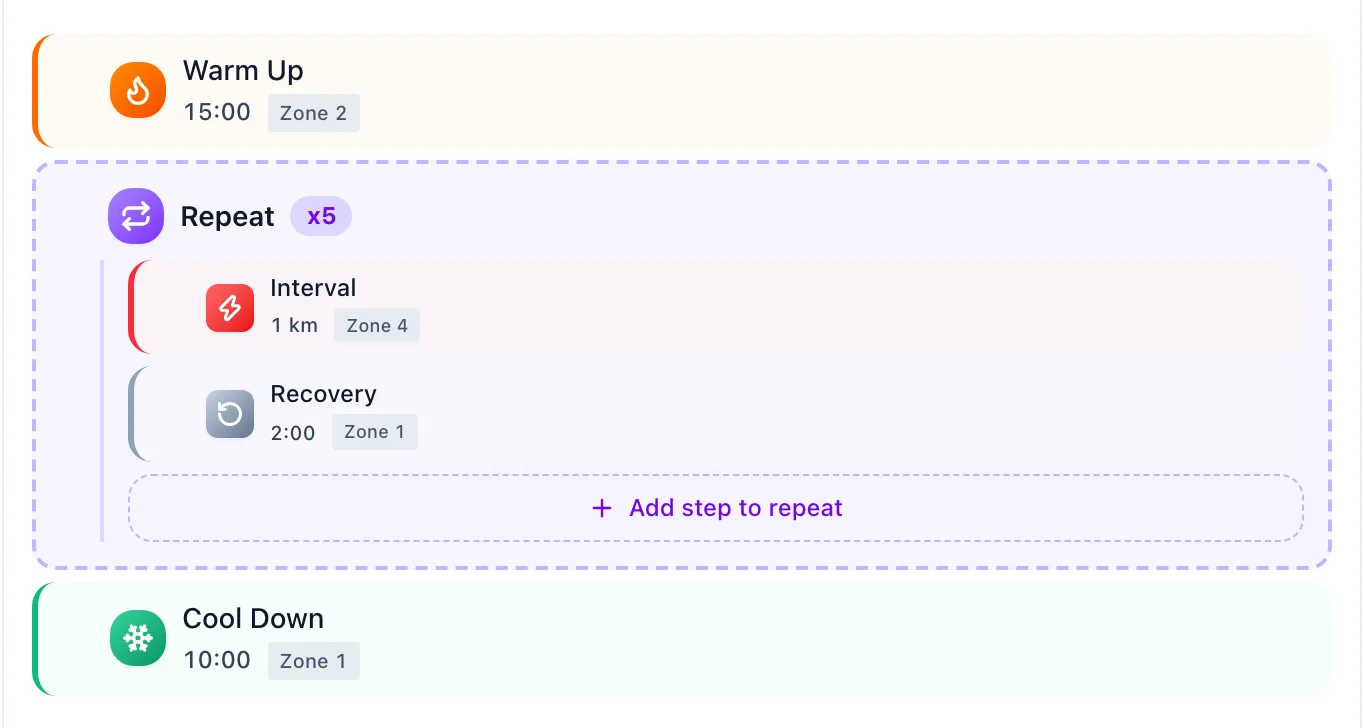
Runs, rides and swims with steps in the Structure section reach the watch, and so does every strength workout. A run, ride or swim with only a description stays in the calendar, but the watch won't get it.
Publish
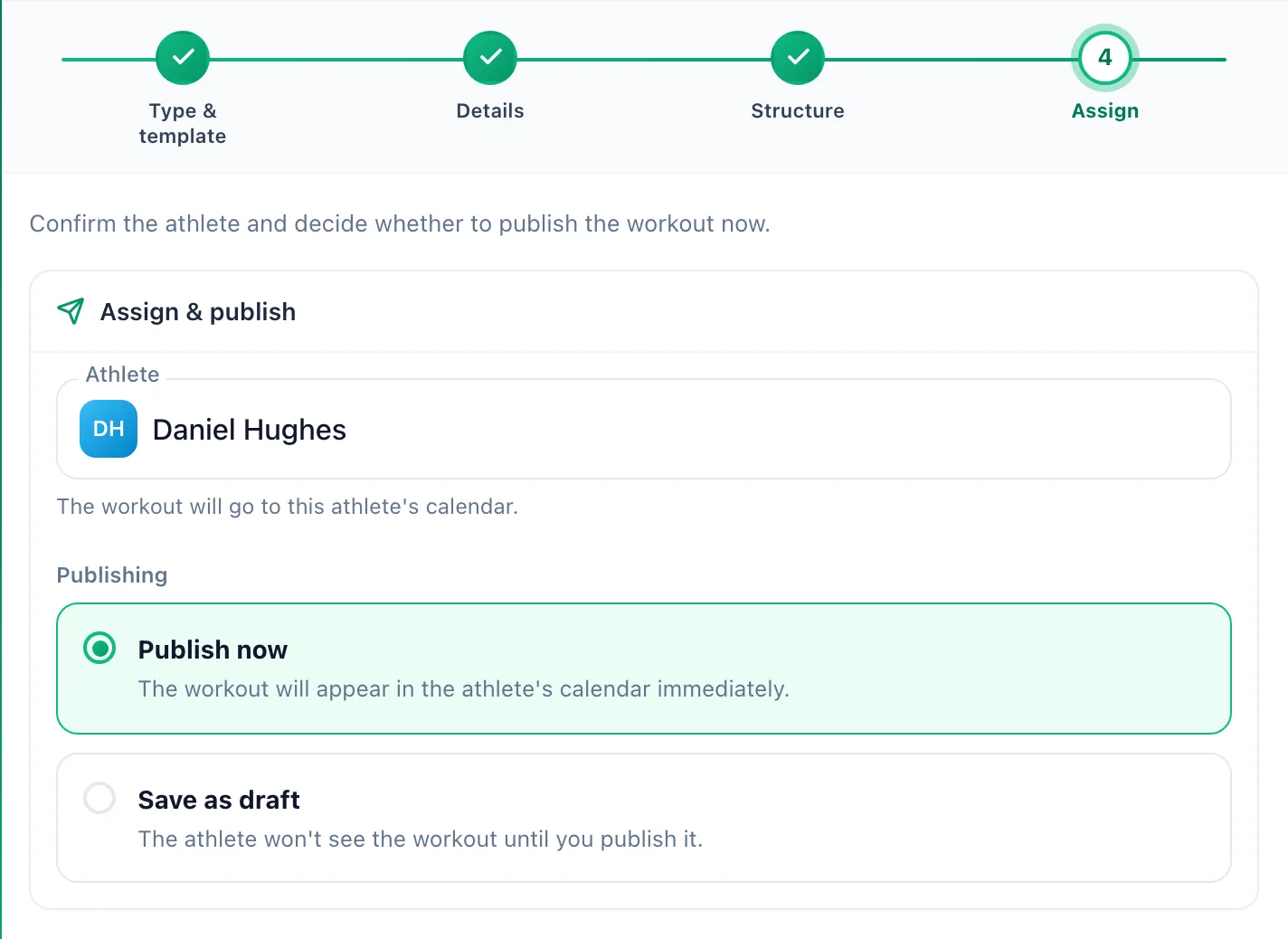
In the Assign step, choose Publish now. A draft (Save as draft) doesn't go to the watch - sending starts the moment you publish.
The workout lands in Garmin Connect on the same date and reaches the watch at its next sync. Suunto gets it as a SuuntoPlus Guide in the Suunto app, and it reaches the watch when the watch syncs with the phone.
A successful send leaves no mark in the calendar. When something goes wrong, the workout panel shows a box with the reason, for example: Sending the workout to Garmin failed. It will be retried automatically.
Changing the plan
Editing steps, moving the date and deleting the workout carry over to Garmin Connect and Suunto on their own. Unpublish removes the workout from the watch.
More in this section: Integrations
For coaches and athletes
How import worksHow workouts from a watch reach the calendar: connecting the account, choosing sports, manual sync and matching to the plan.For athletes
GarminHow to connect your Garmin Connect account, choose which sports to import and turn on sending planned workouts to the watch.For athletes
PolarHow to connect your Polar Flow account, accept the Polar consents and choose which sports reach the calendar.For athletes
SuuntoHow to connect your Suunto account, choose which sports to import, fetch workouts from the last 90 days and send planned workouts to the watch.For coaches and athletes
Common sync problemsWhat to check when a workout from the watch didn't reach the calendar or a planned workout didn't reach the watch.