The payments register records money that has already reached you and works out until when each athlete is paid up. The app does not collect anything from athletes: you settle up the way you always have, and it keeps track of the dates.
TeamPaymentsReview the statuses
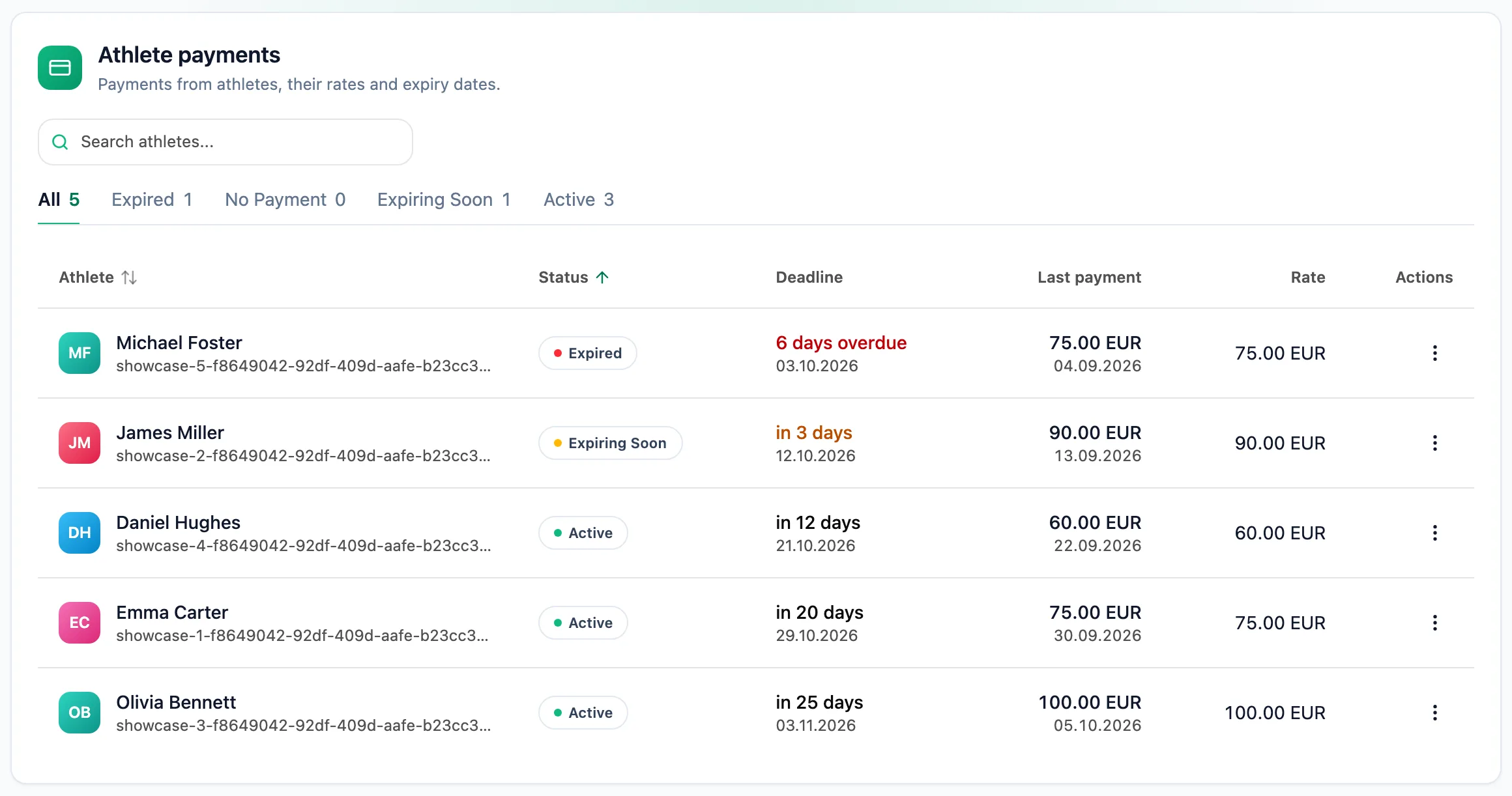
The tabs above the table count athletes in each status: No payments, Expired, Expiring Soon and Active. The list puts the most urgent athletes first, and the deadline column counts the days left in the period or the days past it.
Set a monthly rate
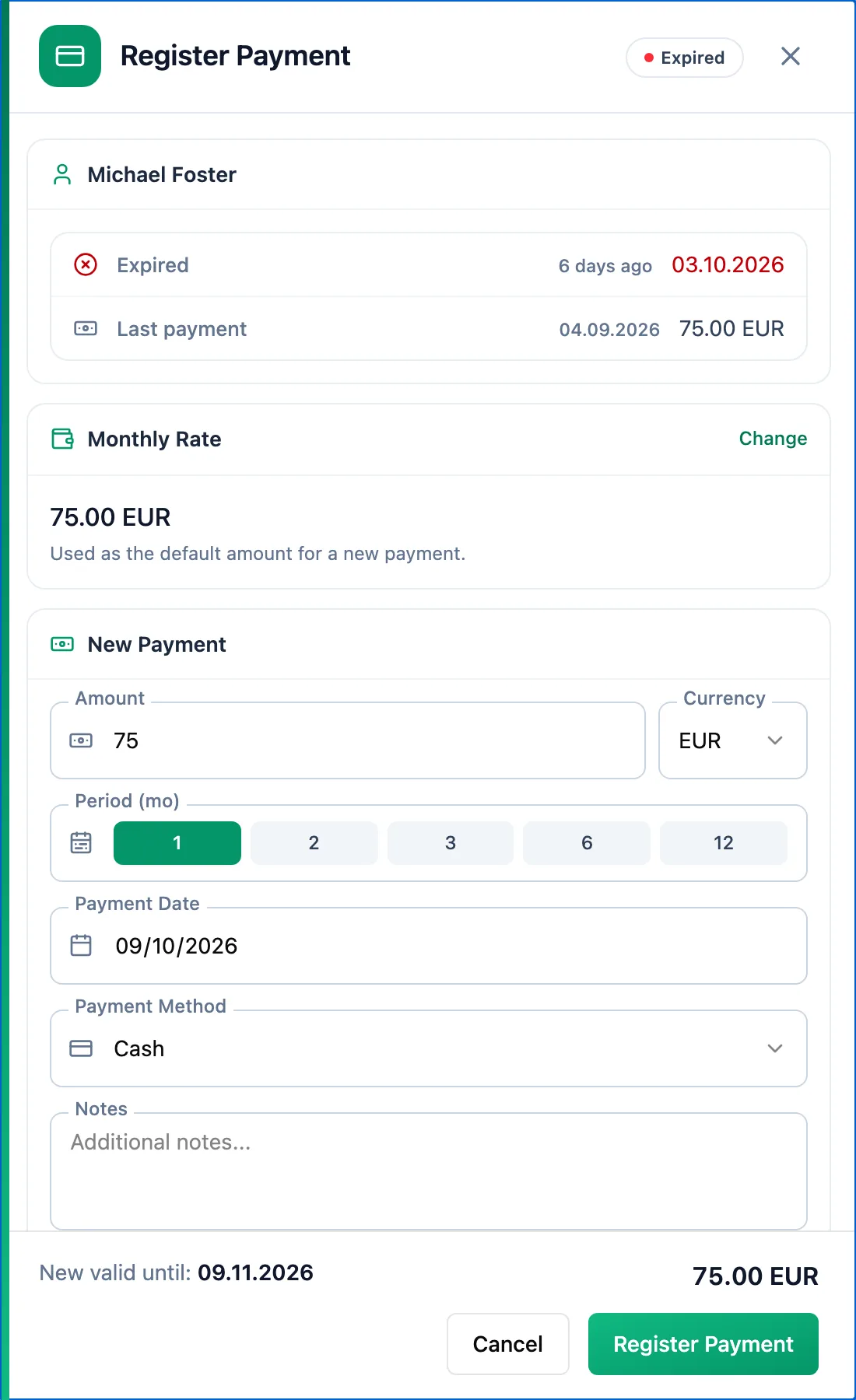
Click an athlete's row. In the Register Payment panel, the Monthly Rate section has a Set Rate button. The saved rate fills in the amount of every new payment. Change it later with Change.
Register a payment
In the New Payment section enter the Amount, Currency, Period, Payment Date and Payment Method; Notes are optional. The panel footer shows the New valid until before you save anything. Confirm with Register Payment.
Extend or correct a period
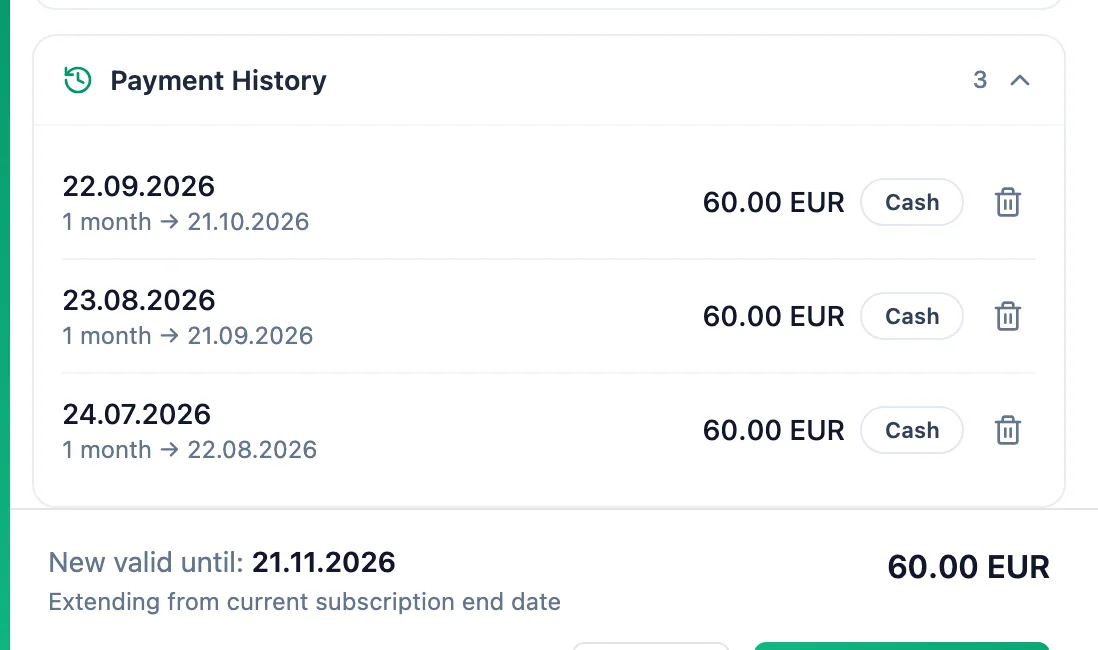
The next payment is added on to the end of the current period, and the footer then shows Extending from current subscription end date. A late payment counts from its payment date. To fix a wrong payment, delete it with the bin icon in the expanded Payment History and register it again.
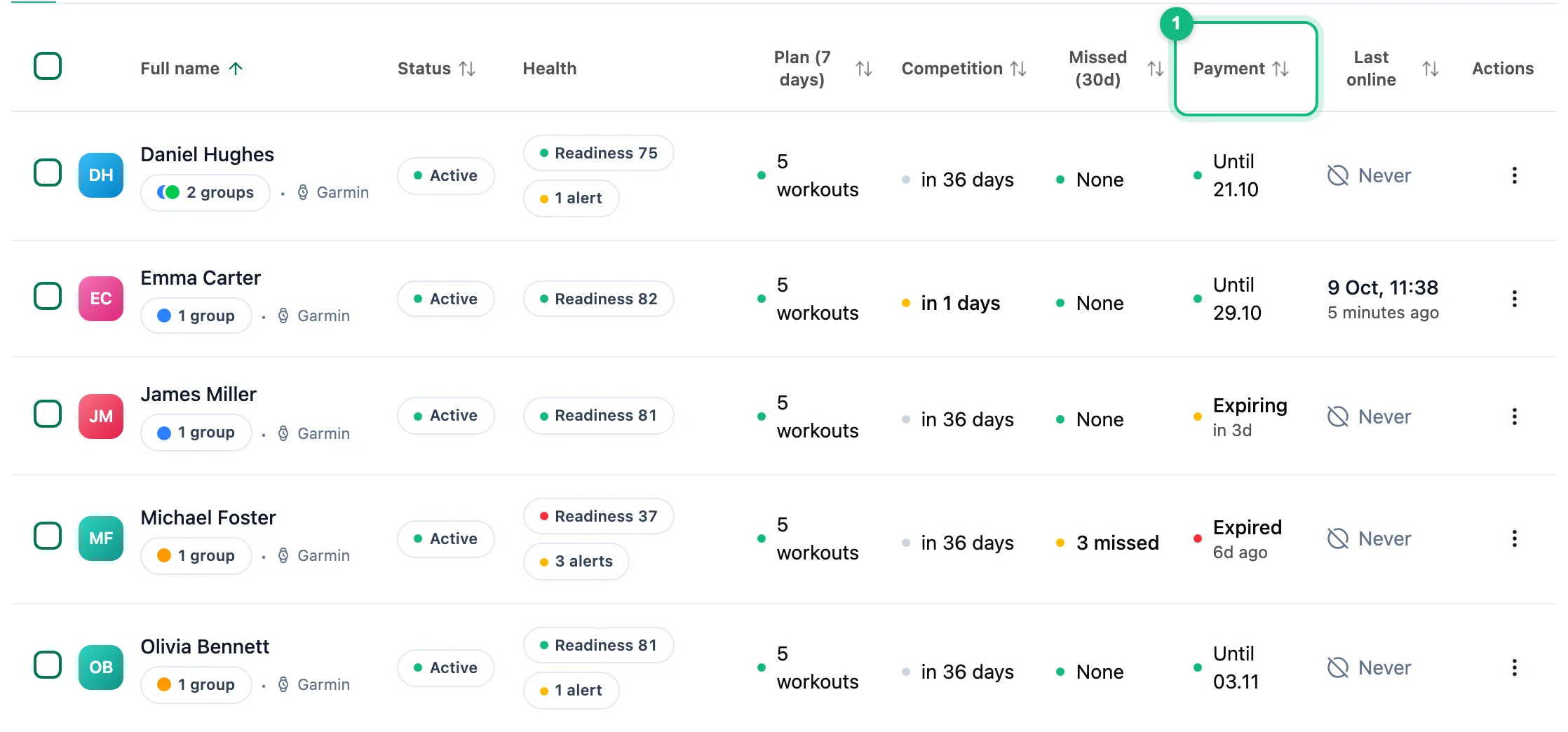
The same status shows in the Payment column of the athlete list, and Register Payment in the row menu opens the same panel.
More in this section: Athletes
For coaches
Athlete listHow to search and narrow the athlete list, read its columns and act on an athlete.For coaches
Athlete summaryWhat the single-athlete screen shows and how to keep notes on it.For coaches
Athlete groupsHow to create an athlete group, change its members, name and colour, delete it, and where groups help across the app.For coaches
Group calendarHow to schedule a group session for the whole group, change or cancel it, see who is coming and record attendance.For coaches
Athlete racesHow to review every athlete race in one table and open the race details.For coaches
Athlete reportsHow to ask an athlete for a report, set up a series of requests, send a reminder and reply to a report.For coaches
Suspending and ending the coaching relationshipHow suspending an athlete differs from deleting them, what happens to their plan and data, and how to bring them back.