The athlete list is your daily overview: who has a plan for the coming week, who is missing sessions, whose race is coming up and whose paid period is running out.
TeamAthletesAbove the table, three tiles summarise the whole list: athletes by status, upcoming races in several day windows and planned workouts. On the right, next to the search field, you see the Active athletes limit of your plan.
Find an athlete
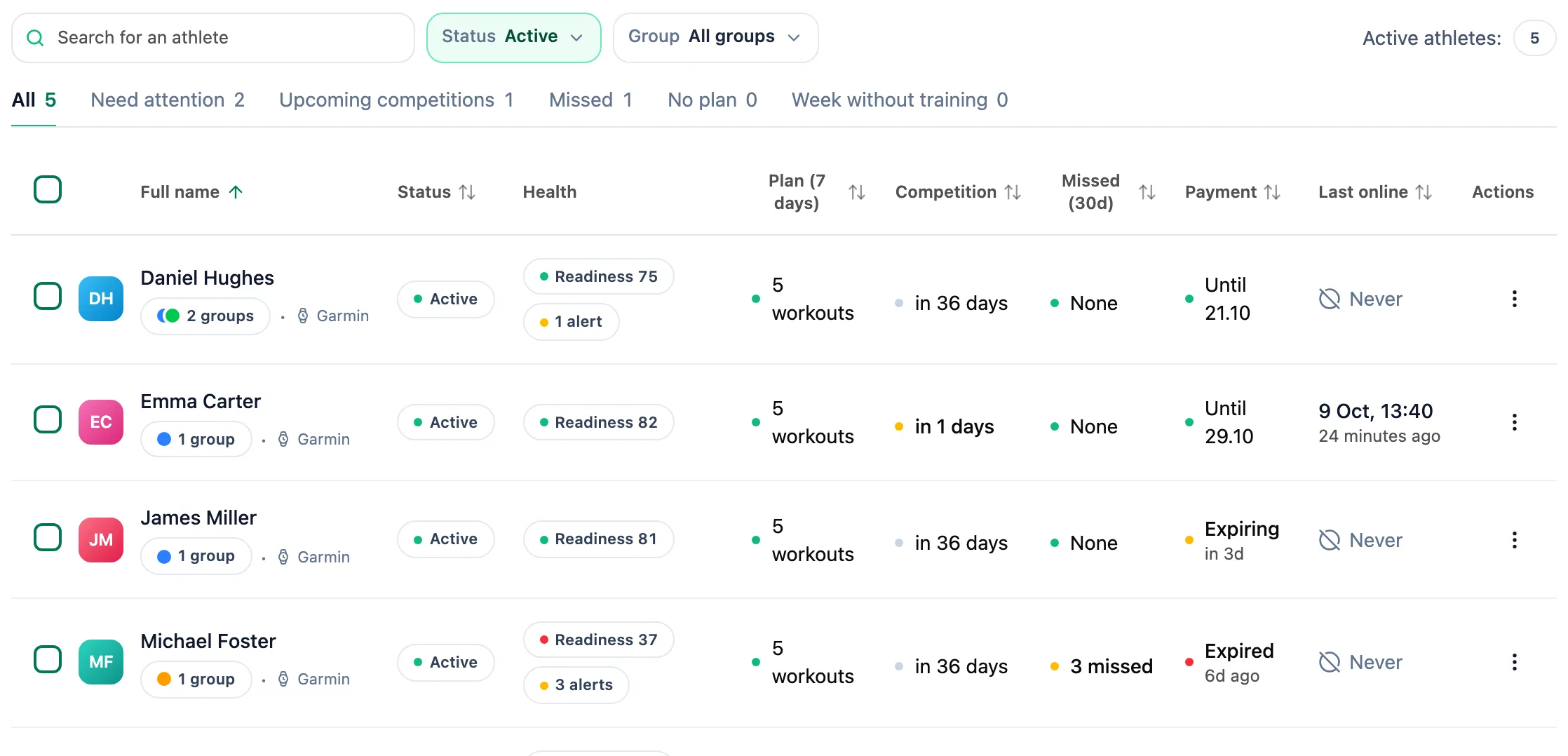
Type a first or last name in the search field. The Status list switches between active, suspended and removed athletes, and the group list narrows the table to one group.
Narrow the list with a tab
The tabs under the search show how many athletes fall into each slice: Need attention, Upcoming competitions, Missed, No plan and Week without training. Click one to keep only those athletes in the table.
Read a row
The columns tell you how many workouts you planned for the next 7 days, how many days remain to the next race, how many sessions the athlete missed in 30 days, until when they have paid and when they last opened the app. A header with arrows sorts the table by that column.
Pick an action
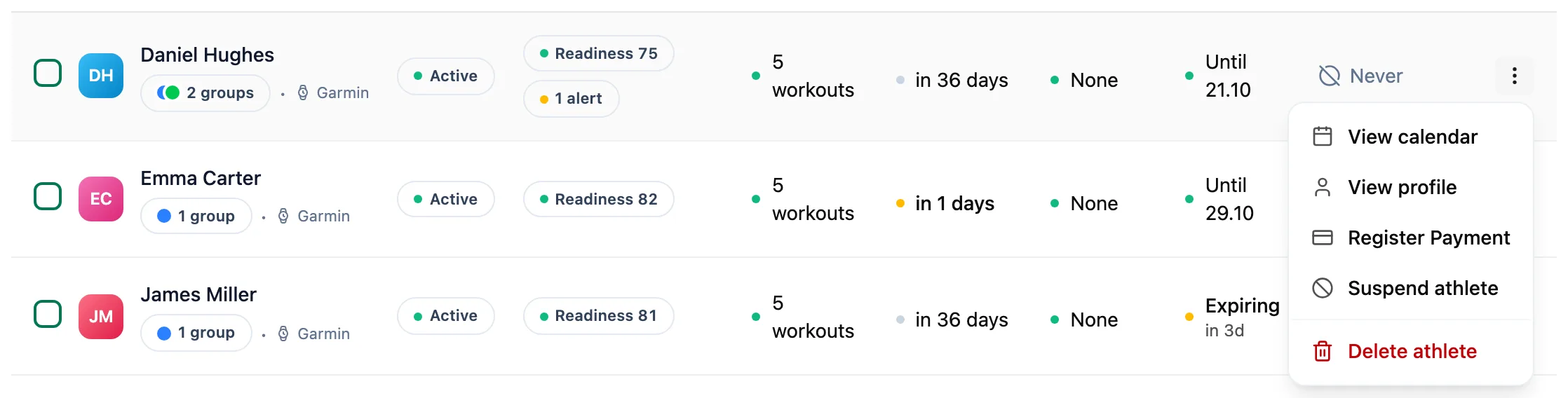
Clicking a row opens the athlete summary. The three-dot menu in the Actions column has shortcuts to the calendar and profile, payment registration, and suspending or deleting the athlete.
You add a new athlete with the Add Athlete button in the top right corner of the card. It takes you to your invitation codes.
More in this section: Athletes
For coaches
Athlete summaryWhat the single-athlete screen shows and how to keep notes on it.For coaches
Athlete groupsHow to create an athlete group, change its members, name and colour, delete it, and where groups help across the app.For coaches
Group calendarHow to schedule a group session for the whole group, change or cancel it, see who is coming and record attendance.For coaches
Athlete racesHow to review every athlete race in one table and open the race details.For coaches
Athlete reportsHow to ask an athlete for a report, set up a series of requests, send a reminder and reply to a report.For coaches
Athlete paymentsHow to record athlete payments, set a monthly rate and keep track of whose paid period is running out.For coaches
Suspending and ending the coaching relationshipHow suspending an athlete differs from deleting them, what happens to their plan and data, and how to bring them back.