On this page
Deleting your account cuts off access right away, and your data is removed for good after 30 days. Until then, the account can be restored.
ProfileAccountDanger ZoneOpen the delete dialog
At the bottom of the tab, click Delete Account. The dialog lists what you will lose.
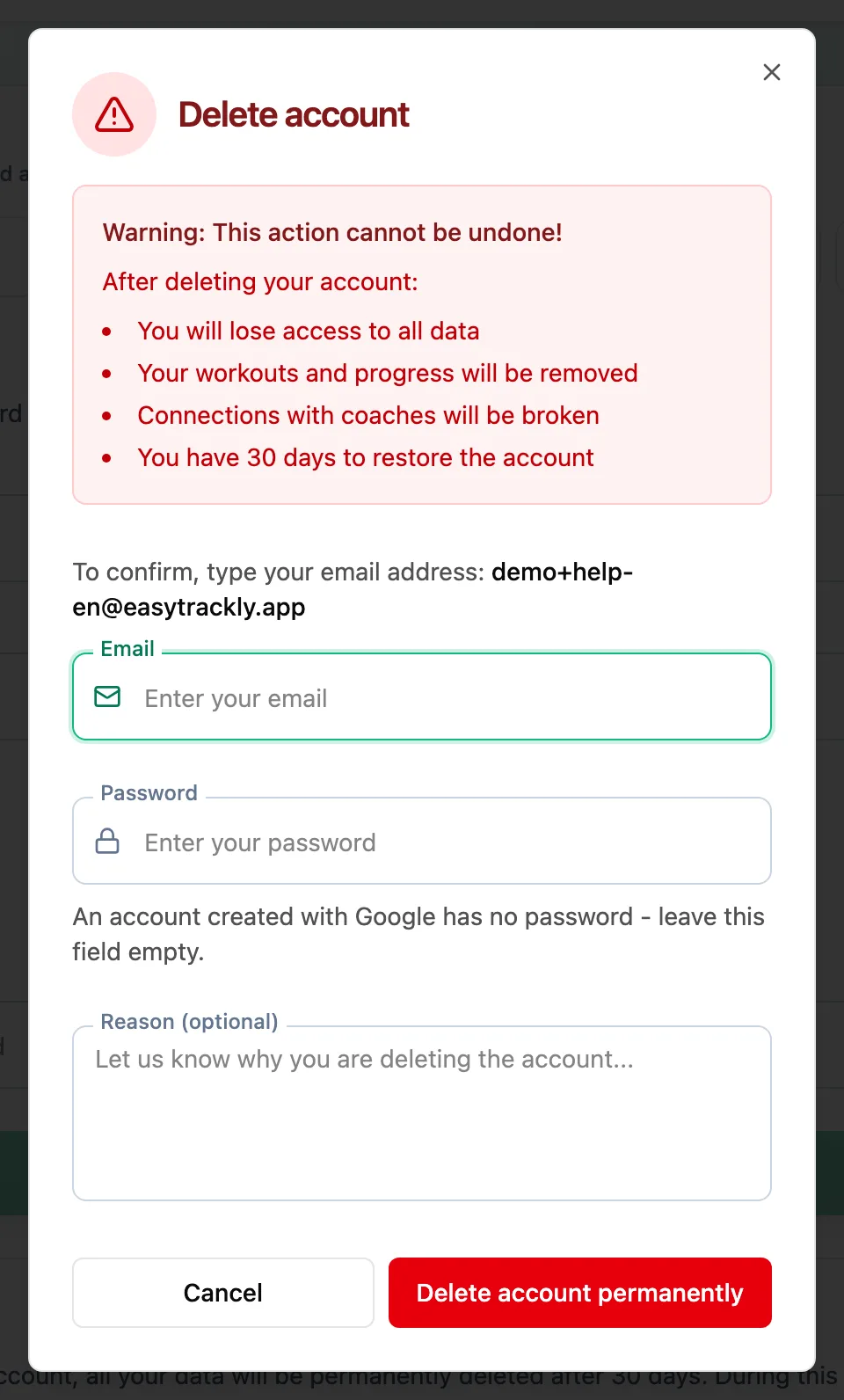
Confirm your details
Enter your account email and password. An account created with Google has no password - leave that field empty. Reason (optional) is optional.
Delete the account
Click Delete account permanently. After a moment the app signs you out and takes you to the sign-in page.
What happens to your data
- Workouts, activities and progress are deleted after 30 days.
- Links with your coach or your athletes are removed straight away.
- A coach with an active subscription cannot delete the account until it is cancelled - otherwise charges would continue for an account they can no longer use.
Before deleting, you can download a copy of your data in the Personal Data tab.
More in this section: Account
For coaches and athletes
ProfileWhich tabs the profile has and how to fill in personal details, marketing consent and data export.For coaches and athletes
Training settings and zonesHow to set maximum heart rate, thresholds and training zones for running, cycling and swimming.For coaches
Coach settingsHow to turn on the wellness check-in, choose its fields, and set reminders and question wording for report requests.For coaches and athletes
App languageHow to change the app language and where your choice is saved.For coaches and athletes
Password and securityHow to change your password in the profile and set a new one when you have forgotten it.For athletes
Who can see my dataWhat your coach sees of your workouts, reports and check-ins, what nobody but you can see, and what happens to your data when coaching ends or you delete your account.