You add a competition to the calendar on race day. Athletes enter their own races, and coaches can add them on the athlete's behalf - both see them in the same calendar.
CalendarAdd CompetitionPick the day
Hover over race day and click the trophy icon Add Competition. The same option is in the What to add? menu when you click an empty spot in the day.
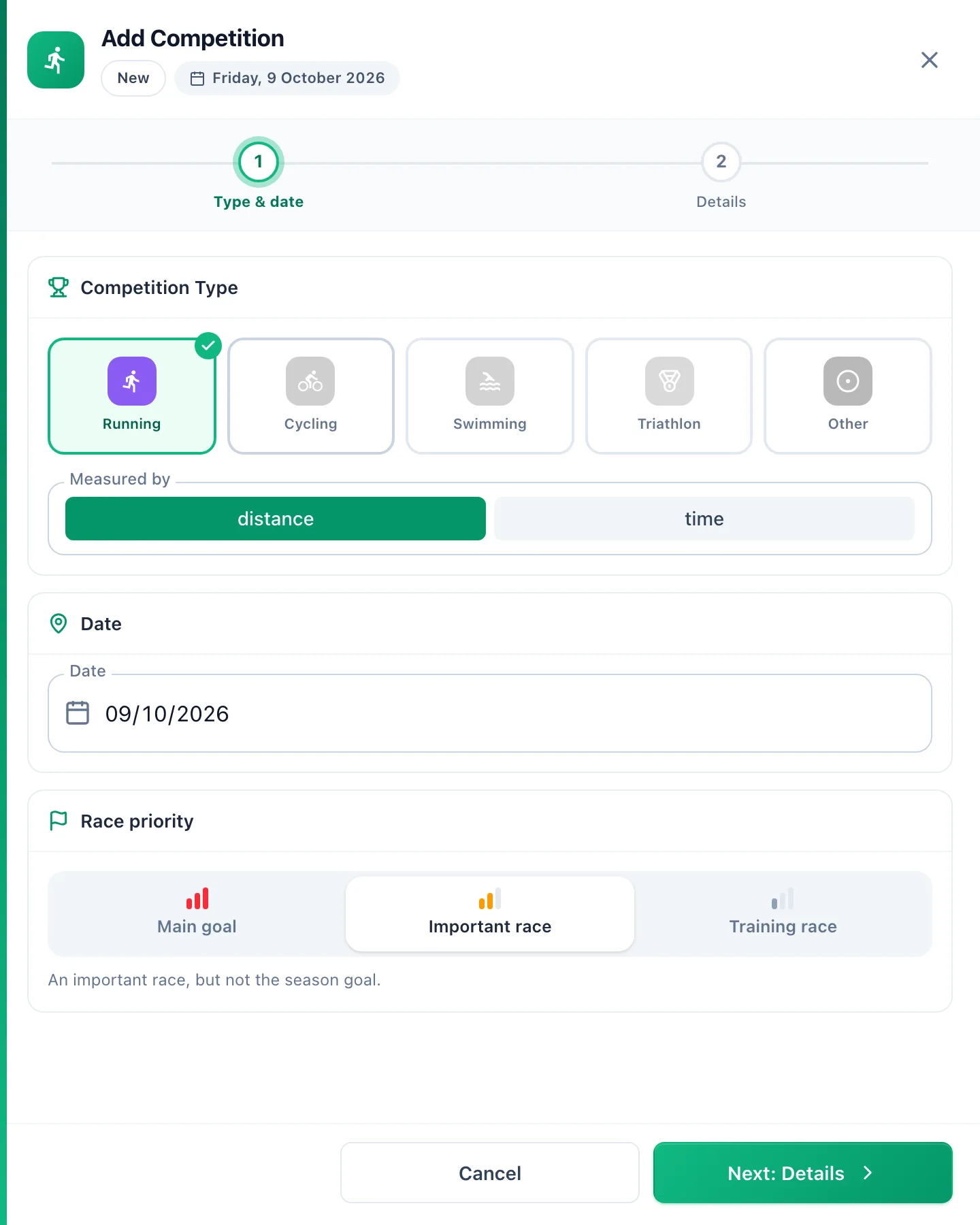
Type and date
In Type & date, pick the discipline and whether the race is Measured by distance or time (a 24-hour run, for example). Check the date and set the Race priority: Main goal, Important race or Training race.
Details
In Details, enter the name and location, choose a Standard distance or type your own distance, then add the Target time, the race website and a description. Click Save.
The competition sits in the calendar as its own tile with the priority. A planned race can be dragged to another day, just like a workout.
More in this section: Calendar
For coaches and athletes
Calendar viewsHow to browse the calendar: month, week and day views, jumping back to today and what the tiles mean.For coaches
Adding a workoutHow to plan a workout for an athlete: the day, sport and template, details, structure and publishing.For coaches
Editing, unpublishing and deleting a workoutHow to change a planned workout, move it back to a draft or delete it - and what the athlete and their watch see when you do.For coaches
Structured workoutsHow to build a workout from steps: warm-up, intervals, recoveries and repeats with a pace, speed, heart rate, power or cadence target.For coaches
Copying and movingHow to move a workout to another day, reorder a day, and copy a workout to the following weeks or to other athletes.For coaches and athletes
Completing a workoutHow to close a planned workout: linking an activity from the watch, entering a result by hand, linking from the activity side and fixing a wrong link.For coaches and athletes
Missed and cancelled workoutsWhat to do with a workout whose day has passed: done, not done or moved; cancelling a plan as the trainer and undoing the status.For coaches and athletes
Manually entered activityHow to log a session done without a watch from the day menu in the calendar: form fields, load from perceived exertion and linking it to a plan later.For coaches and athletes
Uploading a file from your watchHow to add an activity from a FIT, TCX or GPX file when the watch is not connected to the app.For coaches and athletes
Sharing a workout on a photoHow to turn an activity into a transparent sticker or frame for your own photo, pick the data fields, and when each style works best.For coaches and athletes
Comments and wellbeingHow to discuss a specific workout in comments, rate the effort and fill in the wellbeing survey for a chosen day.For coaches and athletes
Your plan in Google, Apple or Outlook CalendarHow to add workouts and competitions to the calendar you already use, and how often they refresh.