The dashboard answers two questions: what you have on today and how your week is going. It is built from the workouts your trainer planned and the activities that reached your calendar.
OverviewDashboardCheck today's plan
When a workout is planned for today, a Today strip with its name appears under the greeting. Click it to open the workout with its description and steps.
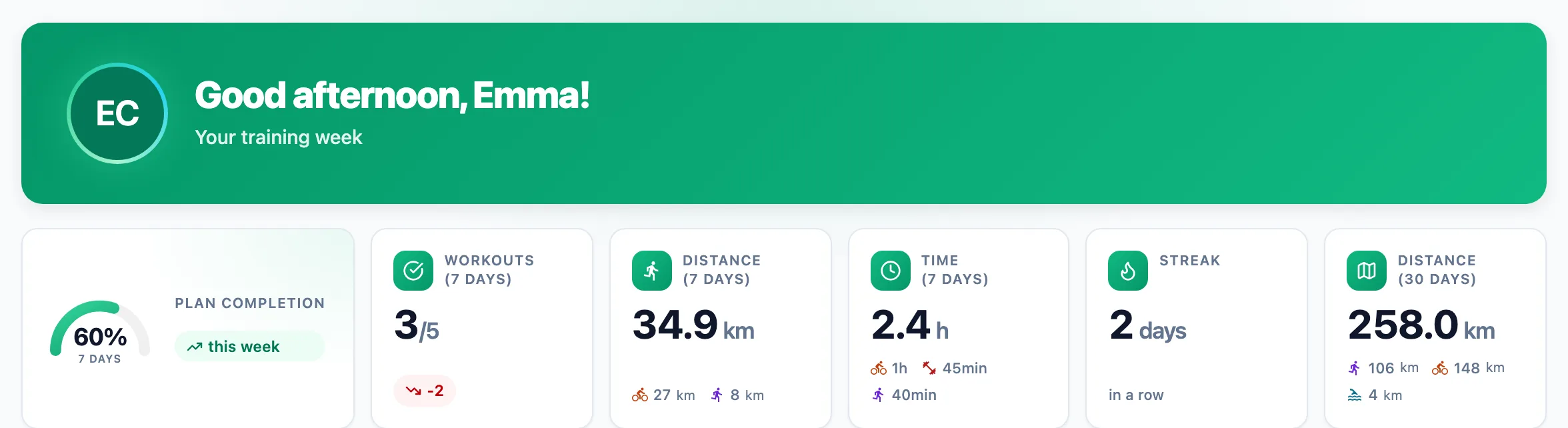
Read the number tiles
The tiles show Plan completion, completed out of planned workouts, distance and time over the last 7 days, your current streak and distance over 30 days. Small icons under a number split distance and time by sport, and the badge on workouts tells you how many more or fewer you did than the previous week.
Look at the week and your streak
Weekly summary sets this week's completed workouts against planned ones and shows time per sport. Workout streak counts consecutive days with an activity; if your last workout was before yesterday, the streak is Dormant. My activity totals the last 7 days by sport.
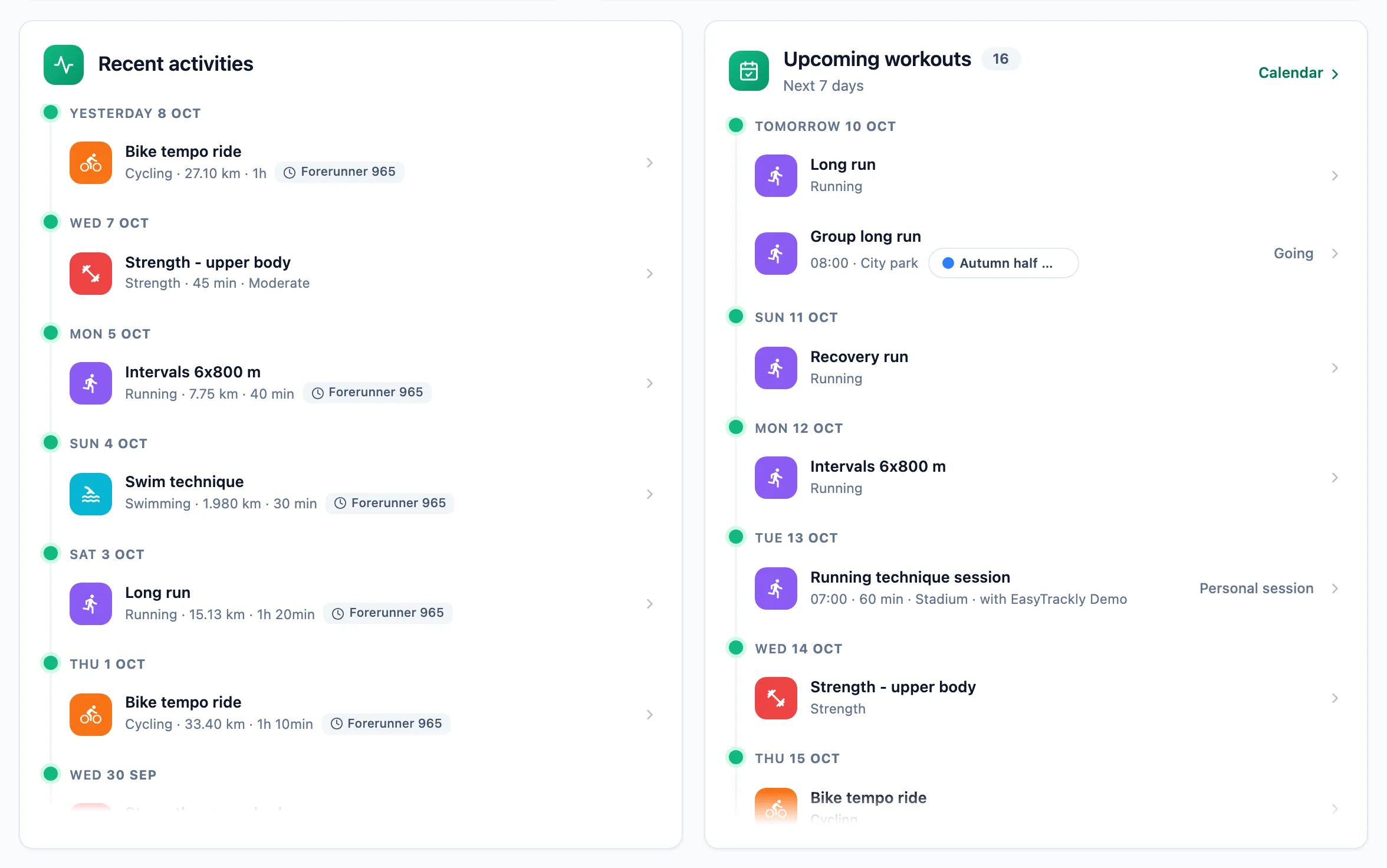
Go through activities and the plan
Recent activities lists your latest activities with the device they came from, and Upcoming workouts shows the plan for the next 7 days. At the bottom, Upcoming competitions count down the days. Click any item to open its panel.
More in this section: Analysis
For coaches
Trainer dashboardWhat the trainer dashboard shows: team numbers, athletes who need attention, the weekly summary, upcoming workouts and competitions, and recent activities.For coaches and athletes
StatisticsHow to pick the athlete, sport and date range in statistics, and what the Overview, Training, Progress and Wellbeing tabs contain.For coaches and athletes
Training load and formWhere training load from power, pace, heart rate or RPE comes from, which athlete thresholds it needs, and how to read the load chart and the form chart.For coaches and athletes
Laps, charts and zonesHow to read the activity panel: the laps table, charts over time, drift and EF for a chosen range, and time in heart rate and power zones.For athletes
ReportsHow to submit a report your trainer asked for, read the trainer's reply and correct your own answer after submitting.