On this page
Planning preferences tell your coach how many days a week you can train, how long a single session can be and which days suit you.
ProfileAthlete DataPlanning preferencesSet the number of days
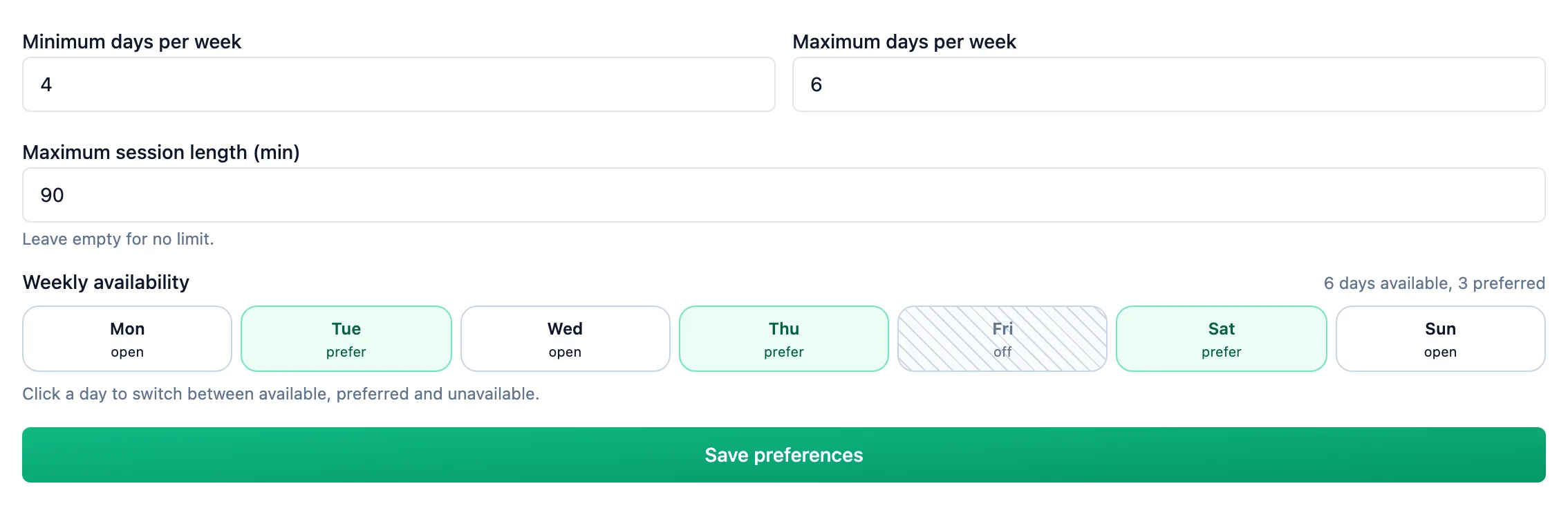
Fill in Minimum days per week and Maximum days per week. An empty field means no limit. The minimum can't be higher than the maximum, or than the number of days you leave open in the grid below.
Enter your longest session
In Maximum session length (min), enter the most minutes you can spend on one workout. Leave it empty and your coach gets no limit.
Mark days in the grid
In Weekly availability, each click moves a day to the next state: available, preferred, unavailable. The line above the grid counts the open days and how many of them are preferred.
Save
Click Save preferences. Your coach sees the change on your athlete page right away; no notification is sent.
Coach: the athlete's weekly frame
On the athlete page (Athletes, then the athlete's row), the Planning preferences tile shows the minimum and maximum days, the longest session and the weekly grid with a legend. If the athlete hasn't saved anything yet, the tile says so, and the values you see are defaults.
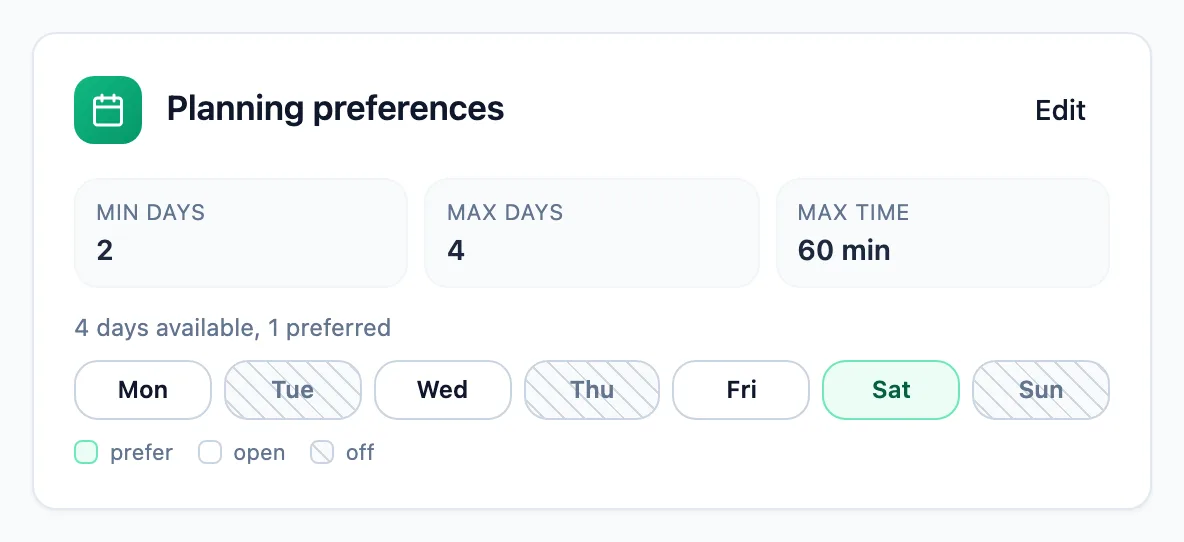
While you build the plan, open the same data from the athlete's calendar: Tools, then Planning preferences. The window sits next to the calendar and can be dragged aside. Edit in the tile or the window opens the same form the athlete uses.
More in this section: Account
For coaches and athletes
ProfileWhich tabs the profile has and how to fill in personal details, marketing consent and data export.For coaches and athletes
Training settings and zonesHow to set maximum heart rate, thresholds and training zones for running, cycling and swimming.For coaches
Coach settingsHow to turn on the wellness check-in, choose its fields, and set reminders and question wording for report requests.For coaches and athletes
App languageHow to change the app language and where your choice is saved.For coaches and athletes
Password and securityHow to change your password in the profile and set a new one when you have forgotten it.For athletes
Who can see my dataWhat your coach sees of your workouts, reports and check-ins, what nobody but you can see, and what happens to your data when coaching ends or you delete your account.For coaches and athletes
Deleting your accountHow to delete your account, what happens to your data and how to restore it within 30 days.