On this page
This is where you follow how an athlete's weight, body composition and circumferences change, and log measurements you took together - for example the weight from your last session.
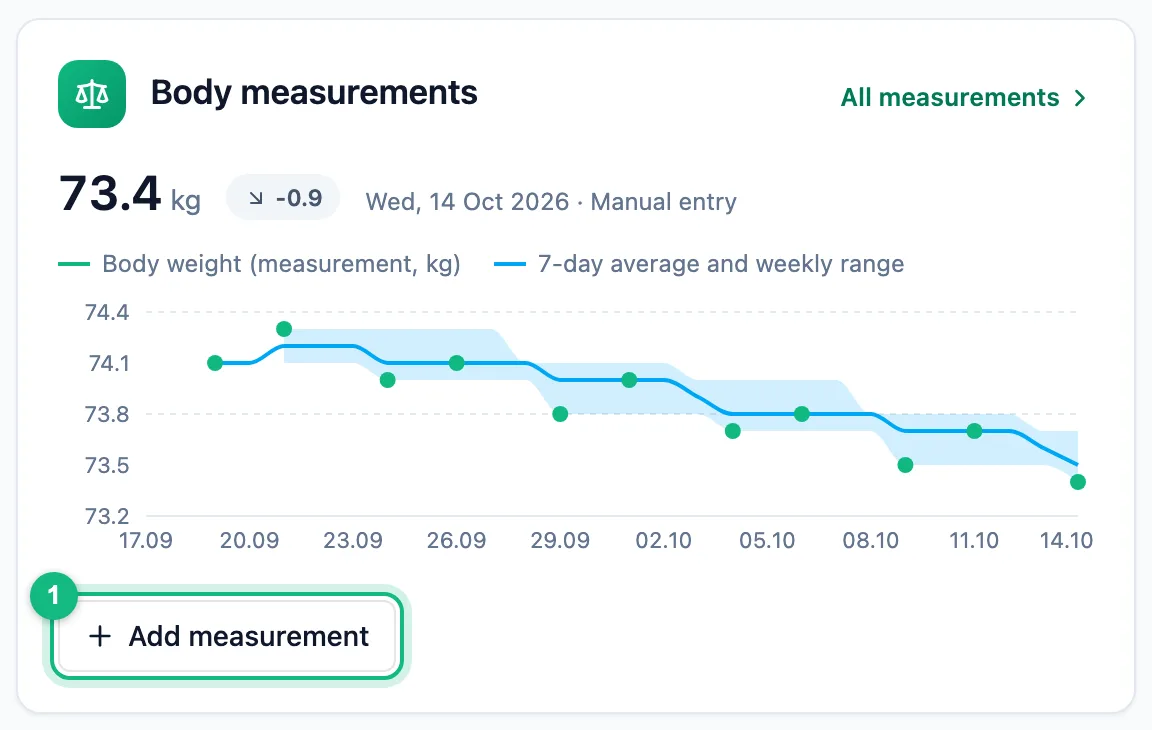
StatisticsMeasurementsPick the athlete with the selector above the tabs and the period in the same bar. The quicker way in is the athlete summary: the Body measurements tile shows the latest weight and its trend, has an add button and an All measurements link.
Logging a measurement for your athlete
Open the form
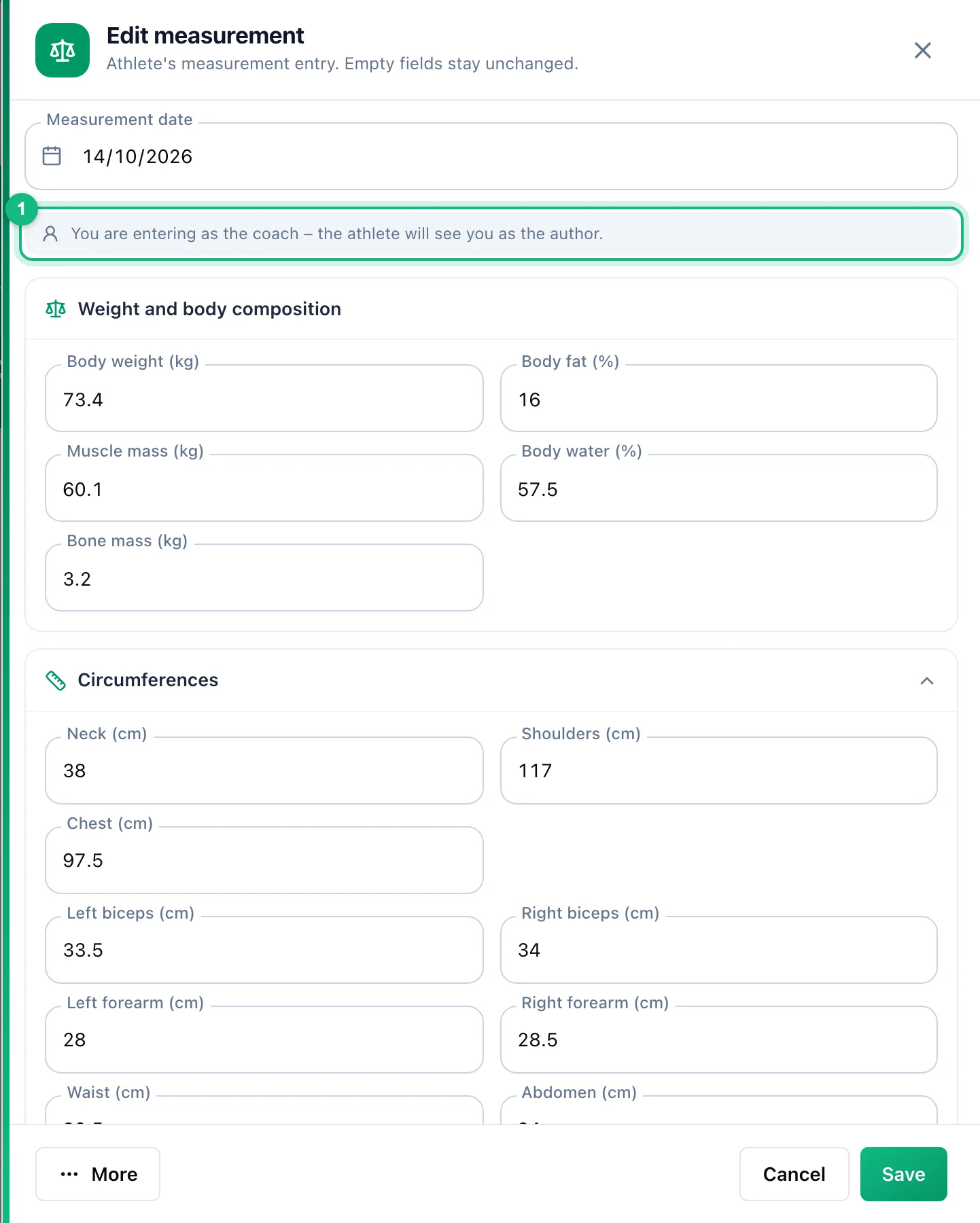
Click Add measurement in the tab or in the summary tile. The box above the fields reminds you that the athlete will see you as the author.
Pick the day
The date defaults to today. If the athlete already has measurements for that day, the form turns into Edit measurement with their values, so you never overwrite them blindly.
Enter the values
Fill in only what you measured. Below an empty field you see the athlete's last measurement with its date, and once you type a value - the difference from it.
Save
Click Save. The values go to the athlete's history with the Entered by coach badge.
What the athlete sees
Your values carry the Entered by coach badge in the history. In the form, the fields you entered show a person icon (on hover: Entered by coach), and the box above the fields says how many values of the day the coach entered. The latest weight and height also show up in the athlete bar and in the athlete's profile.
When the athlete does not share health data
You see the Showing manual entries only message: readings from a scale connected to a watch are hidden, while manual entries - the athlete's and yours - are always visible. Use Ask for data to ask the athlete to share their data.
More in this section: Health
For coaches and athletes
Watch metricsWhat the Health page shows: sleep, HRV, resting heart rate and other watch data, recovery set against training load, and the day details.For coaches and athletes
ReadinessHow to read the HRV, resting heart rate, sleep and form tiles, the decision of the day and the hint for trainers.For athletes
Sharing data with your trainerHow to turn on health data import from your watch, share it with your trainer, stop sharing and delete the stored data.For athletes
Your body measurementsHow to log weight, body composition and circumferences, where the values come from and how to correct or remove a measurement.